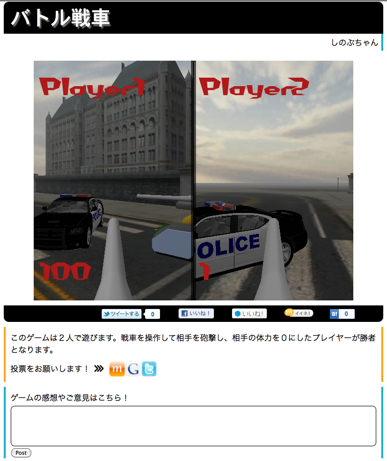
http://d.hatena.ne.jp/anchan828/20110821
There's a crossdomain limitation to post a tweet from UnityWebPlayer.
Here, we used some detour for this.
The main idea is calling javascript function from Unity and using OAuth2.0 to POST.
We used @Anywhere to implement this.
1. Preparation
Register your application to Twitter dev(https://dev.twitter.com/).
After you finish registration, move to @Anywhere Domains in the settings section for the application and register your domain name.

ex. unity-games.appspot.com for UnityGames(http://unity-games.appspot.com/)
That's all for setting up your application.
Then, insert the line into the webpage where you want to put your UnityWebPlayer.
Now, you are ready to use @AnyWhere
2. Implement javascript function in the webpage.
The functions you need are Authorization and POST.
Authorization function is here.
You must always give "oauth_access_token=取得したAccess_Token" as a parameter for posting to Twitter.
3. Implementation in Unity.
It's easy to call javascript function in the webpage from Unity.
You can use,
Application.ExternalCall (http://unity3d.com/support/documentation/ScriptReference/Application.ExternalCall.html)
First, authorize your self. If you call the function, a popup window will be shown.
You can try the working example here ->(Let’s Twitter In UnityWebPlayer)
That's all for setting up your application.
Then, insert the line into the webpage where you want to put your UnityWebPlayer.
<script src="http://platform.twitter.com/anywhere.js?id=Consumer key for your Twitter App&v=1">
Now, you are ready to use @AnyWhere
2. Implement javascript function in the webpage.
The functions you need are Authorization and POST.
Authorization function is here.
function connect(){


	var url = "https://oauth.twitter.com/2/authorize?oauth_callback_url="

      //the call back should be the webpage address where your Unity Web Player is.

		+ encodeURIComponent(location.href)

		+ "&oauth_mode=flow_web_client&oauth_client_identifier=Consumer Key for your Twitter App";

	var F = 0;

	if (screen.height > 500) {

		F = Math.round((screen.height / 2) - (250))

	}

  // The window option is a default for @AnyWhere

	window.open(url, "twitter_anywhere_auth", "left=" + Math.round((screen.width / 2) - (250)) + ",top=" + F

			+ ",width=500,height=500"

			+ ",personalbar=no,toolbar=no,resizable=no,scrollbars=yes");

}
Next, post function using ajax will be like this. (The function is using JQuery(http://jquery.com))
//url will be something like "https://api.twitter.com/1/statuses/update.json". You must url encode the parameters.Mind that you should use HTTPS protocol here.
function post(url) {
$.ajax({
type: "post",
//The access token for twitter can be load with localStorage.getItem("twttr_anywhere")
url: url+ "&oauth_access_token="+encodeURIComponent(localStorage.getItem("twttr_anywhere")),
success: function (e) {
// write whatever you want to do.
}
});
}
You must always give "oauth_access_token=取得したAccess_Token" as a parameter for posting to Twitter.
3. Implementation in Unity.
It's easy to call javascript function in the webpage from Unity.
You can use,
Application.ExternalCall (http://unity3d.com/support/documentation/ScriptReference/Application.ExternalCall.html)
First, authorize your self. If you call the function, a popup window will be shown.
Application.ExternalCall ("connect");
Next, POST your tweet.
//URL encode your twee (http://unity3d.com/support/documentation/ScriptReference/WWW.EscapeURL.html)Now, you can tweet from your Unity Web Player!
Application.ExternalCall ("post", "https://api.twitter.com/1/statuses/update.json?status=" + WWW.EscapeURL (tweet));
You can try the working example here ->(Let’s Twitter In UnityWebPlayer)